
There are 3 steps to set up the copy trading.
- Lunch the EA on your platform (MT4, MT5, cTrader)
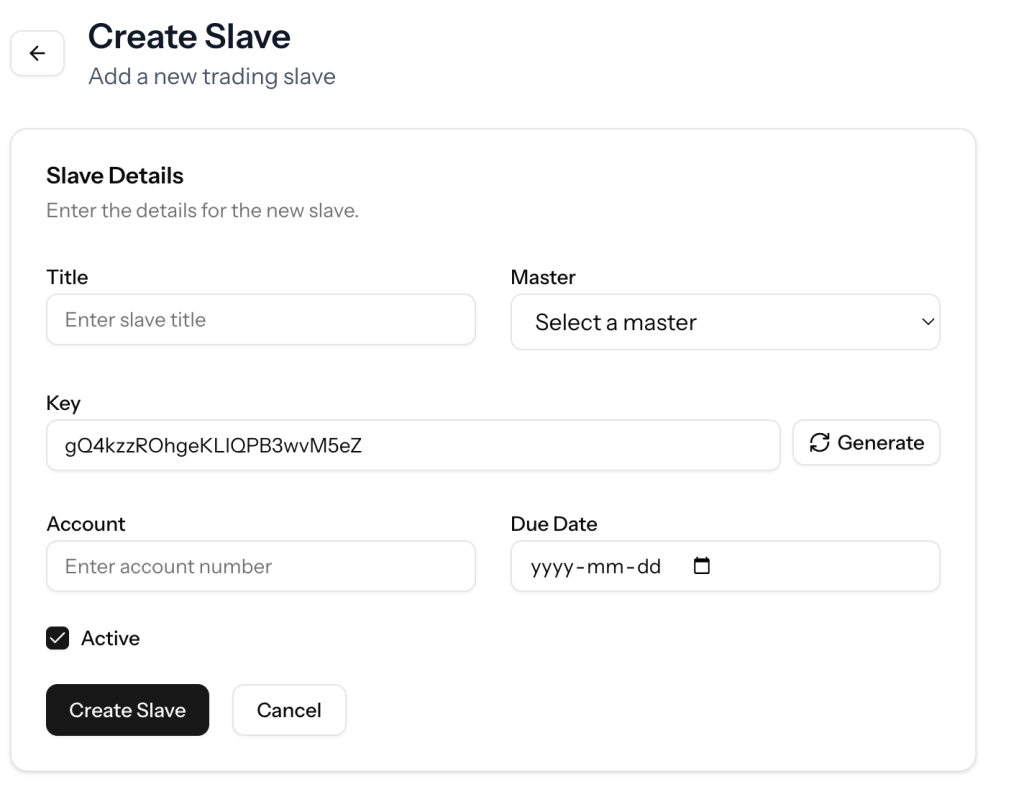
- Generate a key for the Master and slave at http://app.copytrade69.com
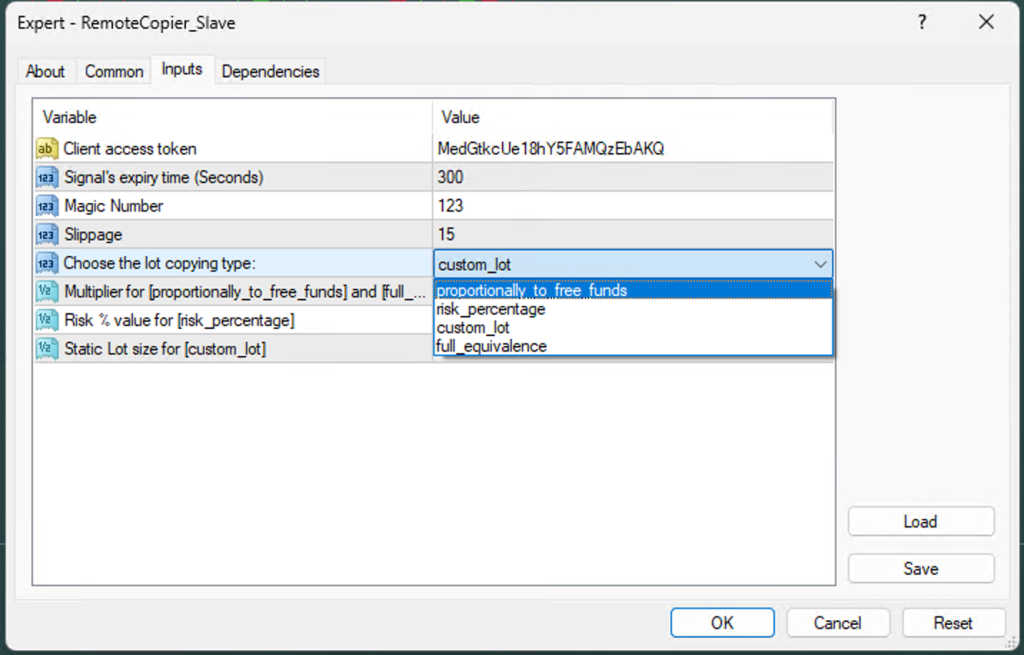
- Set the generated key on the EA’s inputs.
 Client Access Token
Your Personal Access Key (Master and Slave)
You keep the master key on your MT4, MT5, cTrader, or TradingView platform, while the slave EA is shared with your client(s).
This key is required to establish a server connection. Without a valid key, the trade copier will not initialize. You can generate a free access key in the CopyTrade69 panel—no credit or payment required.
Either for master or slave EAs, you can create keys as you want. 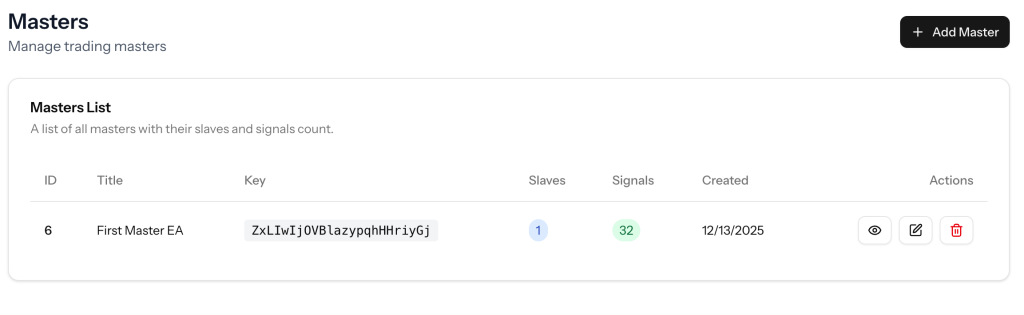
EA Inputs configuration
Signal Expiry Time
Signal expiration time in seconds.
Defines how long a signal remains valid after being received. Older signals are ignored. Lower values mean faster-only execution, higher values allow more delay.
Magic Number
Unique trade identifier for this EA.
It keeps things organized by making sure the EA only manages its own trades and doesn’t interfere with others or manual positions.
Slippage
Maximum allowed price difference in points.
If trades fail during fast markets, increasing this slightly can help reduce rejections and missed entries.
Money management
Picking the right setup without overthinking it
This part decides how your trades scale and how much risk you’re really taking. It’s worth slowing down here, because small changes can make a big difference over time.
Lot Size Mode: Choose one
 Proportionally to free funds
A solid, low-stress default. Trade sizes automatically scale with your account compared to the master, keeping exposure consistent even as your balance changes.
 Risk percentage
More control, more responsibility. Each trade risks a fixed percent of your balance. This only works properly if the signal includes a stop-loss.
 Custom lot
Straightforward and predictable. Every copied trade opens with the same lot size you define, no scaling involved.
 Full equivalence
Exact copy mode. Trades use the same lot sizes as the master account, with optional scaling via the multiplier.
Multiplier
Used with Proportionally and Full equivalence modes.
1.0→ identical size> 1.0→ higher exposure< 1.0→ lower exposure
This is your fine-tuning knob. Even small tweaks can noticeably change risk.
Risk percentage value
Only active when risk percentage mode is selected.
Set how much of your balance you’re willing to risk per trade. Most people stay around 0.5% to 3%. Without a valid stop-loss, this setting won’t apply.
Static lot
Used only with Custom lot.
This is the exact lot size each trade opens with, like 0.01 for very conservative setups or testing.
 Quick tips
- Start conservative and test everything on a demo first
- Keep an eye on your broker’s minimum and maximum lot limits
- When in doubt, smaller is usually safer